Overview
To list all the details of a company as a Company Summary Report.
The data listed is:
- Company details
- Addresses
- Public Officers
- Ultimate Holding Company
- Officers
- Director Interests
- Members - members of the selected company
- Dividends
- Issued Capital
- Trusts details
- Super Fund details
- Other positions
- Business Names
- Business Activities
- Company Notes
- Documents
- Registrable Controller
- Nominee Shareholder
Instructions
| From the Main Toolbar, go to Reports |  |
| Select Company Report | 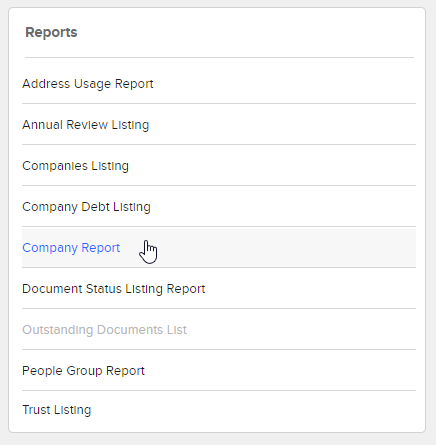 |
CAS 360 will display the Report Filter Tab.
| Filter | Explanation |
|---|---|
| Jurisdiction |
Filter the company list by jurisdiction. |
| Agent |
Filter the list of companies on the Agent selected for the company from the General Details screen. |
| Report Date | Set a Date to be displayed on the report. |
| Company Status |
Filter the list of companies based on the company statuses of Operating, Deregistered, Pending Deregistration, Liquidation, Dormant. Click on a status to hide/display companies. |
| Positions and Holdings |
Select Current to display current shareholders and officeholders Select All to display all current and previous shareholders and officeholders |
| Label |
Set a Company Label as a filter when preparing the Company Listing Report |
Review the Report Settings to customise the report.
Select the toggle beside the options  to display the information on the company report. Click
  to save the selected settings as default.
Click  .
.
Tip
The Company Report can be exported as a PDF or Word document.The company report can also be prepared from the Company, Addresses, Officers and Shareholders screen
| From the Main Toolbar, go to Company |  |
Beside the company, click 
Select Download Co. Report
OR
| From the Main Toolbar, go to Company. |
|
| Select the Company from the list. |
|
| Select Officers, Addresses or Shareholders |  |

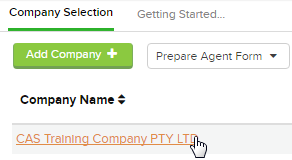
Beside the company, click
Select Download Co. Report