Details
The return of capital is when some of the consideration the shareholder was previously given is paid back to them.
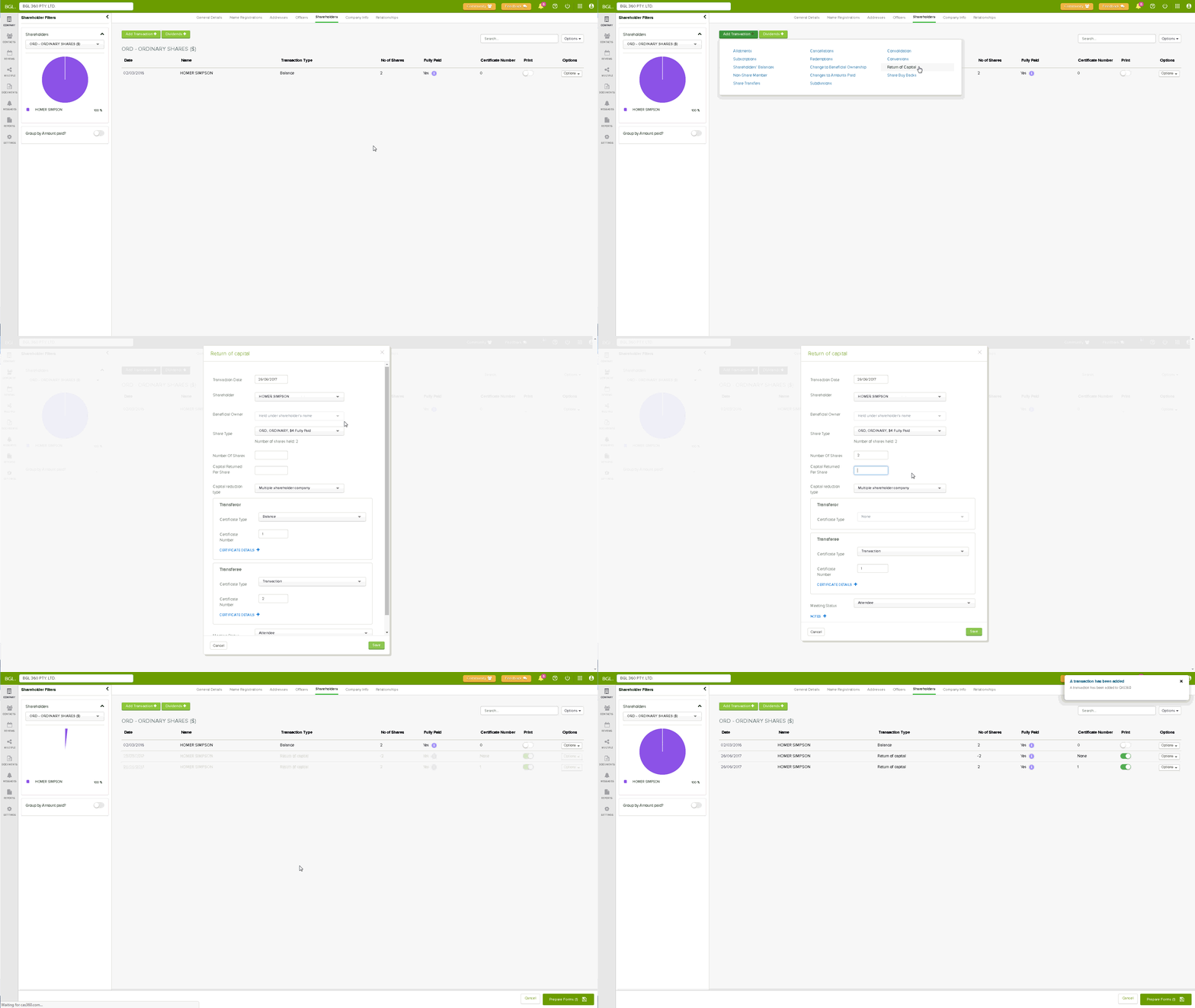
Example: Homer Simpson was allotted 2 $4 ordinary fully paid shares (total value $8). After the return of capital, Homer was returned $4. Homer now holds 2 $2 ordinary fully paid shares.
Navigation
| From the Main Toolbar, go to Company. |
|
| Select the Company from the list. |
|
| Select Shareholders |  |


Click 
Select Return of Capital
Instructions
CAS 360 will display the Return of Capital screen.
|
Field
|
Explanation
|
|---|---|
|
Transaction Date
|
Input the date of the Return of Capital |
| Shareholder |
In the shareholder field, CAS 360 will display a list of the company's current shareholders |
| Beneficial Owner | CAS 360 will automatically prefill this field if there is a beneficial owner. |
|
Share Type
|
In the Share type field, CAS 360 will display a list of the share types the shareholder holds |
|
Number of shares
|
Input the relevant number of shares affected |
|
Capital Returned Per Share
|
Amount returned to the shareholder per share held. Cannot be an amount more than the value paid on the shares. |
|
Capital reduction type
|
See section below for more information |
|
Meeting Status
|
Select the meeting status of the member which will appear on the Resolutions. |
| Notes | Click  to add extra notes to appear on the Register of Members to add extra notes to appear on the Register of Members |
Click 
Forms Prepared
CAS 360 will display the Document Production screen and automatically select the documents required:
- Registers – Members
- Directors Meeting Minute or Resolution
- Change to Company Details Form AD01
- Allotment Journal (Optional)
- Share Certificates
- Members Meeting Minute
- Members Consent